Tekmetric Mobile
- 3.1
- Rating
- 10.00K
- Installs
- Free
- Price

 Analysis by App-foxy
Running a repair shop often means moving between a service counter, a vehicle bay, and a customer waiting for an update. Tekmetric Mobile is built for that in-between space. It is an Auto & Vehicles app from Tekmetric that brings selected shop tasks onto a phone, including greeting customers, opening repair orders, and carrying out inspections. I found its value less in replacing every desktop workflow and more in reducing the number of times staff need to leave the vehicle or customer to reach a workstation.
The app is free, available for Everyone, and supports Android devices beginning with version 7.0. It arrived on October 1, 2024, and the current release is 1.40.0. Its average rating sits at 3.1 from around 74 ratings, with about 44 written reviews and over 10 thousand installs. Those figures suggest a young product with a modest user base rather than a mature, universally polished mobile platform, so I approached it as a practical companion for an existing repair-management workflow, not as a complete replacement for every shop system.
Where Tekmetric Mobile fits in a real repair shop
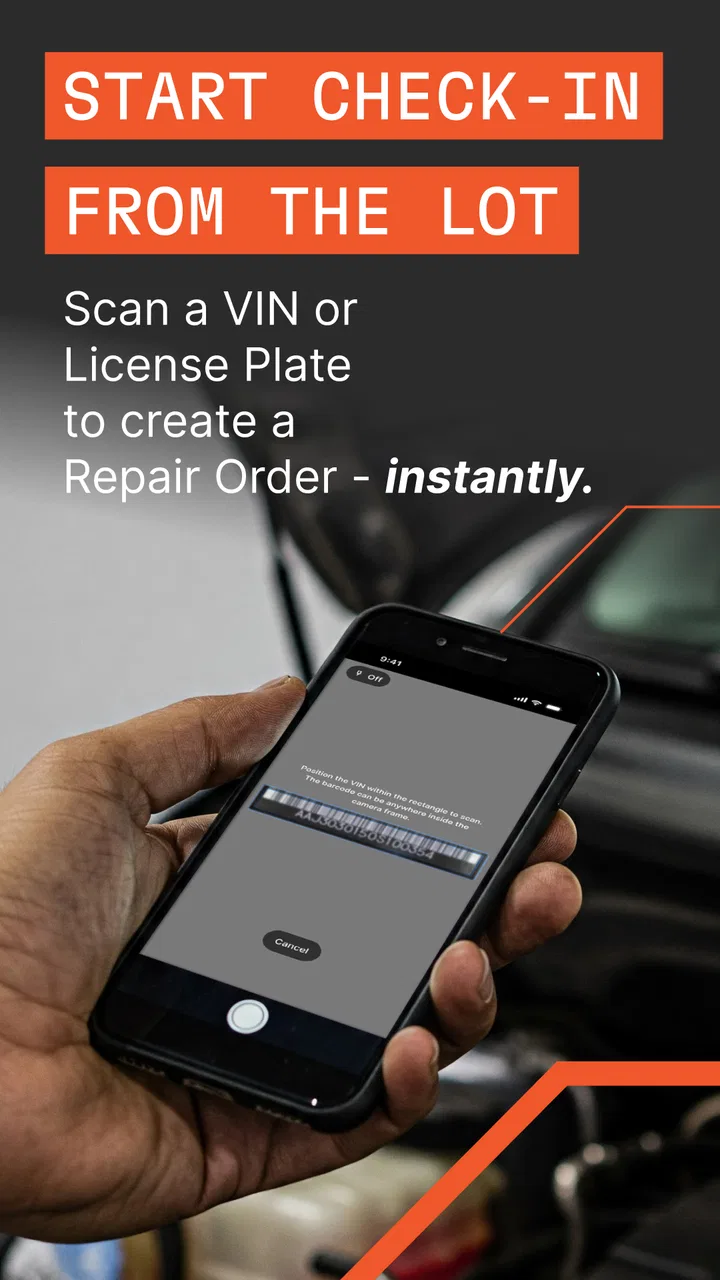
The first thing I noticed is that the app makes the most sense when the phone is treated as a work tool rather than a miniature office computer. A technician or service adviser can stay near the vehicle while collecting information, beginning a repair order, or working through an inspection. That matters because the useful moment for those actions is often beside the car, not after walking back to a counter and trying to remember what was seen.
You May Also Like

 Blood Strike: 2.5 Anniversary
Blood Strike’s Loadouts Turn Every Drop Into a Tactical Gamble
A close look at Blood Strike’s custom loadouts: how fast access to signature weapons reshapes its battle royale rhythm, rewards preparation, and narrows the gap between fights.

 Pandora - Music & Podcasts
Pandora’s Music Is Easy to Start, but Harder to Recover
Pandora’s strength is its low-effort path from a seed to a station. Its weak spot is how much confidence it asks you to place in connection, setup, and quiet recovery.

 8 Ball Pool
8 Ball Pool Is Built on Rivalries, Rematches, and Routine
A close look at the rivalries, rematches, shared routines, and unanswered safety questions that turn a quick pool match into a persistent mobile community.

 Samsung Music
Samsung Music’s Quiet Strength Is Playing What You Already Own
Its reach comes less from spectacle than from dependable access to a personal library. That simplicity is both the app’s strongest retention engine and its ceiling.

 AccuWeather: Weather Radar
AccuWeather Review: A Quick, Clear Forecast for Everyday Decisions
For everyday plans, the best forecast is the one you can understand quickly. AccuWeather makes rain timing, radar, and local conditions easy to act on, with a few trade-offs.

 Hill Climb Racing
Why Hill Climb Racing Still Turns Crashes Into One More Run
A tiny car, a bumpy hill and one more upgrade: Hill Climb Racing keeps resurfacing because its simple chaos makes every near-miss feel personal.
More From Our News Desk



A realistic example is a customer arriving with a warning light. Instead of taking the keys, writing a note on paper, and postponing the digital entry, a service adviser can start the repair order while speaking with the customer. The adviser can then move toward the vehicle for the inspection and keep the initial information connected to the job. The benefit is not flashy; it is fewer handoffs and less opportunity for a detail to be forgotten between reception and the bay.
I also see a role for the app during busy periods when one employee is covering several positions. A small shop may not have a dedicated greeter, adviser, and dispatcher available at every moment. Having mobile access can help one person acknowledge an arriving customer before returning to another task. That is a stronger use case than simply opening the app at a desk, where the phone offers little advantage over the shop’s normal computer setup.
At the same time, I would not describe it as an all-purpose replacement for a full repair-management interface. The store summary points to a focused set of mobile actions, and that focus is important. People who expect every administrative, reporting, configuration, and back-office task to be equally comfortable on a phone may find the format restrictive. A phone is excellent for work beside a vehicle; it is usually less pleasant for long forms, dense records, and extended office administration.
Starting a repair order without losing the customer conversation
Opening a repair order while standing with a customer changes the rhythm of the intake process. I prefer this approach to writing details on a pad and entering them later, because the customer’s description, the initial concern, and the vehicle conversation are still fresh. The practical tip is to use the mobile step for immediate capture, then reserve a quieter moment for checking the record before work proceeds. Speed is useful, but speed without a quick review can carry an incorrect detail into the rest of the job.
This workflow is especially helpful when several vehicles arrive close together. A short mobile intake can establish which vehicle belongs to which customer and what the immediate concern is. It also gives the team a digital starting point while the vehicle waits for a more thorough inspection. I would still avoid treating the first entry as a final diagnosis. The app can support the opening of the job, but judgment, verification, and communication remain the responsibility of the shop.
Another useful habit is to keep the phone oriented toward the customer during the initial exchange rather than turning the process into silent data entry. The app should remove friction, not make the greeting feel like a form-filling exercise. In my experience, the best mobile workflow captures only what is needed to begin, then lets the adviser return attention to the person standing in front of them.
Inspections are where the phone format earns its place
Inspections are a natural fit for mobile use because the employee is already walking around the vehicle. A phone avoids the awkward gap between looking at a tire, light, fluid area, or visible damage and later trying to reconstruct the sequence at a desk. The app’s inspection function is therefore more than a convenience: it can encourage the inspection to happen in the same place and moment as the observation.
My practical recommendation is to follow a consistent physical route around every vehicle. Start at the same corner, move through the same sides, and finish at the same point. That routine reduces skipped areas when the shop is busy. It also makes the mobile screen easier to use because the employee is not constantly changing direction while trying to remember what has already been checked.
There is a trade-off. A phone is portable, but it is also easier to drop, smudge, or mishandle around a working vehicle than a computer behind a counter. Shops should think about protective cases, clean handling, and who is responsible for the device between jobs. Those are operational concerns rather than app defects, but they directly affect whether mobile inspections feel efficient or stressful.
Another non-obvious point is that mobile inspection work can expose gaps in shop habits. If employees use the app differently, the quality of the recorded inspection may vary even when the software is the same. Before relying on it heavily, I would agree on a shared inspection order and a simple standard for when an observation should be reviewed with the customer. The app can make the process more immediate, but it cannot create consistency by itself.
Trust begins with what the user can actually see
For a shop app, trust is not only about whether the interface looks modern. It is about whether staff understand what they are doing before information is entered or a job is started. I value clear, visible choices more than broad promises. When an action affects a customer record or repair order, the employee should be able to recognize the vehicle, understand the stage of the workflow, and pause before committing an avoidable mistake.
Tekmetric Mobile’s purpose makes these moments particularly sensitive. A greeting may seem harmless, but it begins a relationship with the customer. A repair order can become the foundation for later communication. An inspection can influence what the customer believes about the vehicle. For that reason, I would use the app with a deliberate confirmation habit: check the customer and vehicle context before saving, especially when multiple vehicles are being handled at once.
I also would not let the convenience of a phone encourage casual sharing of shop access. A device passed from one employee to another can blur accountability, particularly during a rush. Each shop should decide who may use the mobile workflow and how access is managed in day-to-day operations. The important point is that convenience should not replace basic control over who is entering or viewing customer-related work.
The app is free, which lowers the barrier for a shop that wants to test a mobile workflow without adding an upfront purchase. Free access does not automatically mean that it will fit every existing business process, however. The real cost may appear in training time, device management, and the effort needed to align mobile work with the shop’s established procedures. I would test it with a small group first, using ordinary repair-order and inspection scenarios, before making it part of every bay’s routine.
What the rating tells me—and what it does not
The current 3.1 average is a reason to be measured rather than dismissive. With over 10 thousand installs, the app has reached real users, but the rating also indicates that experiences are mixed. I would not recommend choosing it solely because it is free or because the mobile concept sounds convenient. The right question is whether the specific tasks your staff perform away from the desk are handled smoothly enough to justify changing habits.
The release is still relatively young, and the current version, 1.40.0, shows that the product is being maintained through version updates. That is encouraging for a mobile companion, but an update number alone does not tell me how an individual shop will experience the app. Before deployment, I would check the current behavior on the actual phones used by staff, particularly older devices that still meet the Android 7.0 minimum requirement.
That compatibility point matters in practical terms. A shop may have a mixture of newer and older phones, and an app that works acceptably on one device may feel less comfortable on another because of screen size, speed, or battery condition. I would not assume that meeting the minimum operating-system requirement guarantees an equally pleasant experience on every phone. A short hands-on trial is more useful than relying on the version requirement alone.
Controls, choices, and moments that deserve care
When I review a work app that touches customer and vehicle workflows, I look for user agency in ordinary actions: whether the employee can stop and review, whether the right record is visible before proceeding, and whether the mobile task can remain a focused step instead of forcing the entire process onto a small screen. Those are the controls that affect trust during a busy shift.
My strongest advice is to separate capture from approval. Use the phone to record the initial concern or inspection observation while the information is fresh. Then, before communicating a recommendation or moving the job forward, have the adviser review the entry in context. This two-step habit is valuable because mobile speed can otherwise make an accidental tap or hurried wording appear more authoritative than it should.
Another useful practice is to define a handoff point. For example, the person performing the inspection can finish the mobile portion, while the service adviser reviews the result and discusses it with the customer. That division keeps the app in its strongest role—capturing work at the vehicle—without making the technician responsible for every customer-facing decision.
Shops should also be clear with employees about when a personal phone may be used and when a shop-managed device is preferable. The app itself is only one part of the trust picture. The surrounding choices—who can access the device, how it is stored, and how staff avoid exposing a customer record in a public area—deserve the same attention as the buttons on the screen.
Who should use it, and who should look elsewhere
I would recommend Tekmetric Mobile to a repair shop already working with Tekmetric that wants staff to perform selected tasks away from the front desk. It is particularly suitable for service advisers who move between customers and vehicles, technicians who need a mobile inspection workflow, and smaller teams where walking back to a workstation repeatedly creates delays.
It is less suitable for someone looking for a standalone consumer app to manage personal car maintenance. The product is aimed at shop operations, not at replacing a driver’s maintenance notebook or providing a general vehicle-owner dashboard. It is also not my first choice for a business that wants a phone-only system for every part of its administration. Long records, detailed office work, and broader management tasks are generally easier to review on a larger screen.
A shop with a highly customized paper process may also want to proceed slowly. The app can improve the parts of the workflow it supports, but changing intake and inspection habits affects training and accountability. If the team is unwilling to agree on consistent procedures, the mobile tool may simply produce digital entries with inconsistent quality. In that situation, a simpler shared process may be more valuable than adding another interface.
Compared with a conventional desktop repair platform, the advantage here is proximity: the employee can begin the job or inspection where the work is happening. Compared with paper forms, the advantage is more immediate digital capture and less later transcription. Compared with a generic notes app, the appeal is that the workflow is designed around repair-shop actions rather than free-form reminders. The trade-off is that a focused mobile companion may feel narrower than a full desktop system or less flexible than notes when a shop wants to record something outside its normal process.
My cautious recommendation after using the workflow
I came away viewing Tekmetric Mobile as a practical extension for specific moments, not as a reason to abandon the rest of a shop’s operating setup. Its strongest contribution is keeping the employee close to the customer and vehicle while starting repair orders and completing inspections. That can make intake more timely and reduce the memory gap between observation and documentation.
I would introduce it with one repeatable scenario, such as customer arrival followed by a basic inspection. Track where staff hesitate, which steps require a second look, and whether the handoff to the service adviser is clear. This kind of trial reveals more than installing the app and asking everyone to use it immediately. It also gives the team a chance to establish device-handling and access expectations before customer records become part of the routine.
The mixed rating means I would keep expectations realistic. A free app with a mobile-first purpose can be worthwhile, but only when its focused tasks match the shop’s needs and the staff are willing to use them consistently. I would choose it for reducing desk dependence, not for promises of an all-in-one mobile office.
For the right repair shop, that distinction is a strength. Tekmetric Mobile does not need to do everything to be useful; it needs to make the moments beside the vehicle more organized and less disconnected from the shop’s records. If your main problem is repeated walking, delayed intake, or paper-based inspection notes, it is worth a careful trial. If your priority is extensive back-office control from a phone, I would stay with a larger-screen workflow or compare broader alternatives before making the switch.
FAQs for Tekmetric Mobile
01What is Tekmetric Mobile used for?
Tekmetric Mobile is designed to help automotive repair shop owners, managers, service advisors, and technicians stay connected with shop operations from a mobile device. Depending on the user’s permissions, it can provide access to repair orders, customer and vehicle information, inspections, appointments, messages, and workflow updates. It is mainly a companion tool for shops already using the Tekmetric platform rather than a standalone app for individual car owners.
02Do I need a Tekmetric account or an automotive shop subscription to use the app?
Yes. Tekmetric Mobile is generally intended for users who belong to an automotive repair business that uses Tekmetric’s shop management software. You will typically need valid login credentials provided by your shop, and the features available may depend on your assigned role and subscription settings. Downloading the app alone does not usually provide access to its tools or create a personal account for independent use.
03Which features can I access through Tekmetric Mobile?
The exact feature set can vary according to your role, account configuration, and the version of the app. In general, mobile users may be able to review repair orders, check vehicle and customer details, follow inspection results, view appointments, communicate with coworkers or customers, and monitor shop activity while away from a desktop computer. Some administrative functions may still require the full web-based Tekmetric interface.
04Is Tekmetric Mobile suitable for technicians and service advisors working away from a computer?
The app can be useful for technicians and service advisors who need quick access to shop information while moving around the facility or communicating with customers. It may reduce the need to return to a workstation for routine updates, inspections, or status checks. However, the experience depends on the shop’s setup, user permissions, device performance, and internet connection, so it should be tested with your team before replacing desktop workflows.
05What should I check before downloading Tekmetric Mobile?
Before downloading, confirm that your repair shop already uses Tekmetric and that your account has mobile access enabled. Check whether your Android or iPhone is running a supported operating system, and make sure you have a reliable internet connection for syncing shop data. You should also review the app’s privacy and permission requirements, since it may handle customer, vehicle, appointment, and repair-order information.
Pros
- Quick access to repair orders
- vehicle details
- and customer information.
- Technicians can update job progress directly from the workshop floor.
- Mobile inspections help document vehicle conditions with photos and notes.
- Push notifications can keep staff informed about changes and approvals.
- Useful companion for shops already using the Tekmetric platform.
Cons
- Requires a Tekmetric account and is not useful as a standalone shop app.
- Some features depend on the shop’s subscription and user permissions.
- Small screens can make detailed estimates and records harder to review.
- Performance may depend on the workshop’s internet connection.
- Best suited to automotive repair businesses
- not individual vehicle owners.

Tekmetric Mobile
Gallery